
Trigger Directus Flow
Trigger a Directus flow with feedback.
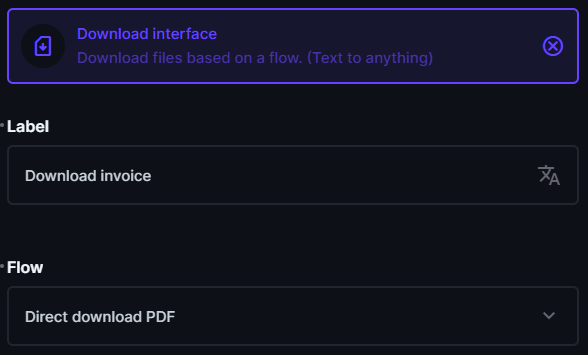
Trigger flow interface
Inside of the interface you have the following options:
| Option | Type | Description |
|---|---|---|
| Label | string | The label of the button. |
| Flow | string | The flow to execute. Must always be of type webhook. |
| Disable on Edit | string | Disables the button when there are pending changes. |
Webhook
Input
When the user clicks on the button, you will receive the following payload:{
"path": "/trigger/430dab9a-bbb1-4cfc-818a-33efd2d7b17d",
"query": {},
"body": {
"id": "1"
},
}Output
The flow could have 2 outputs:1. a string, this will be used to open a file in a new tab (usefull for when you want to download the file right away)
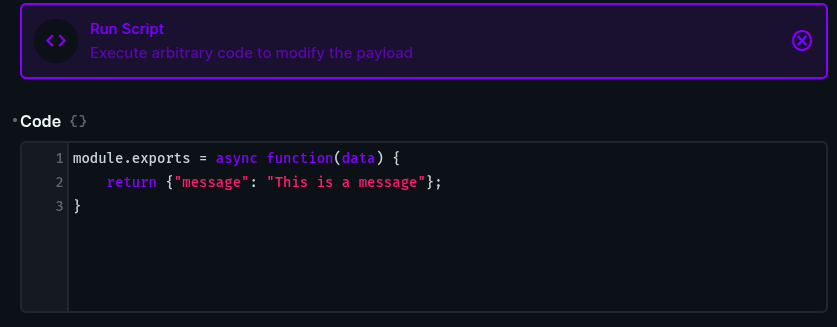
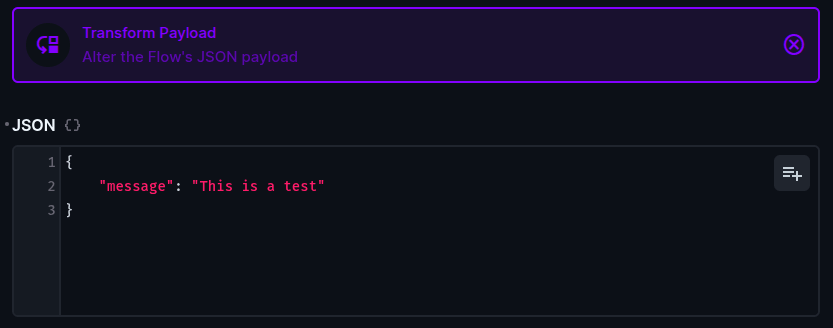
2. an object with a message
The message could be created with a run script:
 The message could be created with a transform payload:
  After the flow ran and the result was a message object, the following dialog will be shown: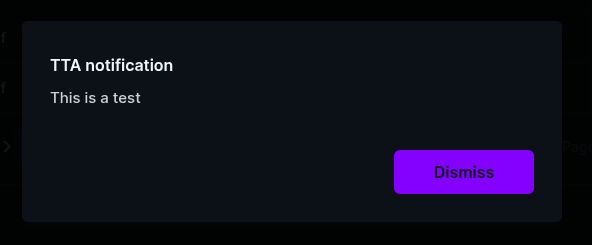
The following options are supported:
| Option | Type | Description |
|---|---|---|
| Title | string | The title of the dialog |
| message | string | The message displayed in the dialog |
| redirectTarget | string | Decides how to open the redirectURL. Can be "current" for opening the url in the current tab, otherwise a new tab will be opened. |
| redirectURL | string | The url that will be opened after closing the dialog. Can be a relative URL (/admin/settings) or a full URL (https://texttoanything.nl). |